Step by step installation
LoRa card installation
LtAP LTE kit will be used as an example in this section.
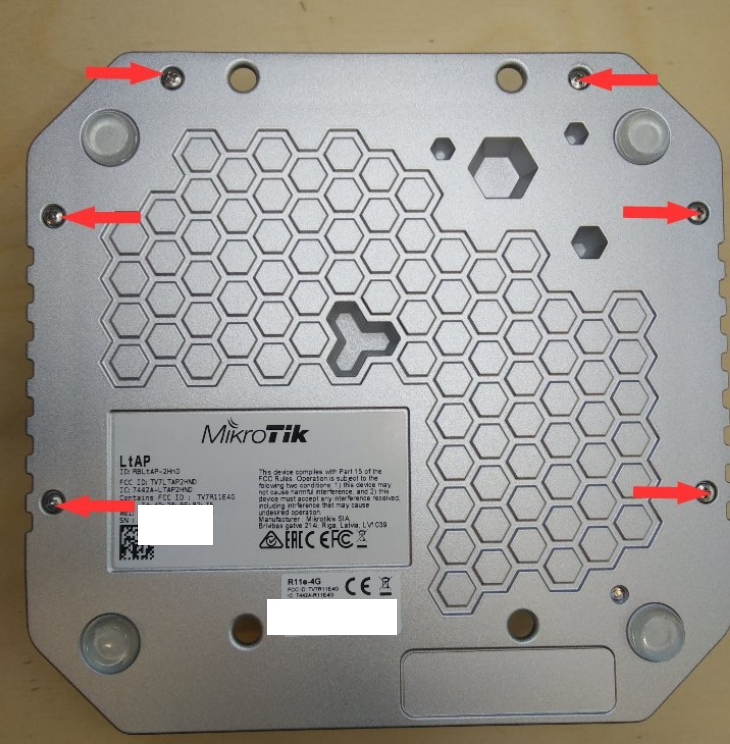
Open your router's case. For LtAP specifically, once you have removed all the screws, carefully move the upper case to the left side, as the LTE antennas are attached to the inner side of it:
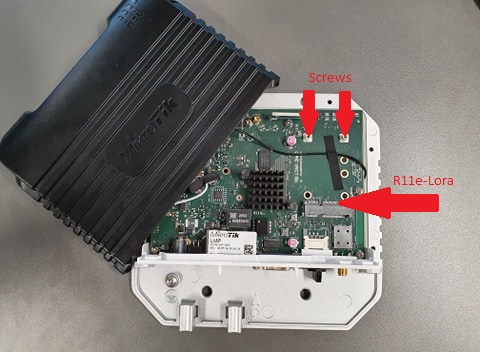
Insert R11e-LoRa card into the mini-PCIe slot and apply two screws to the threaded inserts:
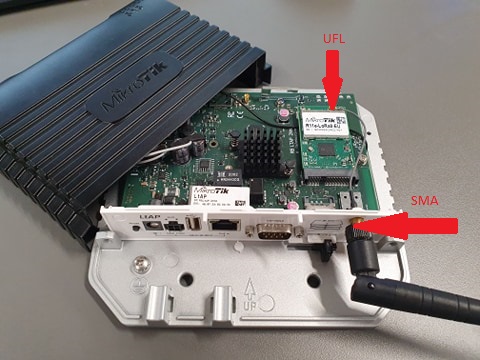
Attach antenna to the card (UFL connector). In this case UFL → SMA cable is also used, as the LtAP's case has a specific slot for it.
Once the previous steps are done, you can close the router's case and move on to configuration.
Configuration
GUI setup
Connect to your router via Winbox or WebFig.
Winbox can be downloaded from the link.
Run it:
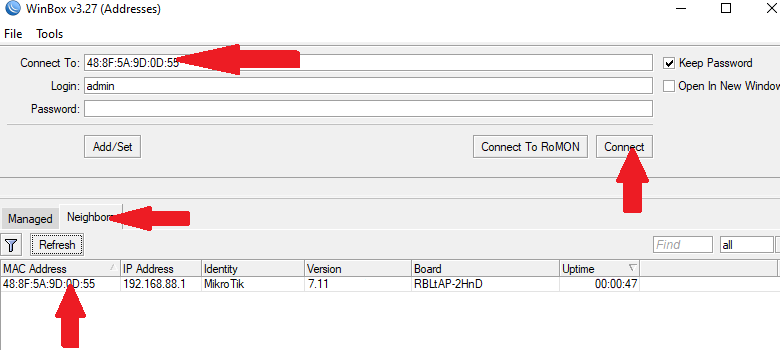
It is highly recommended to upgrade your RouterOS version to the latest available. Installing the version will perform a reboot:
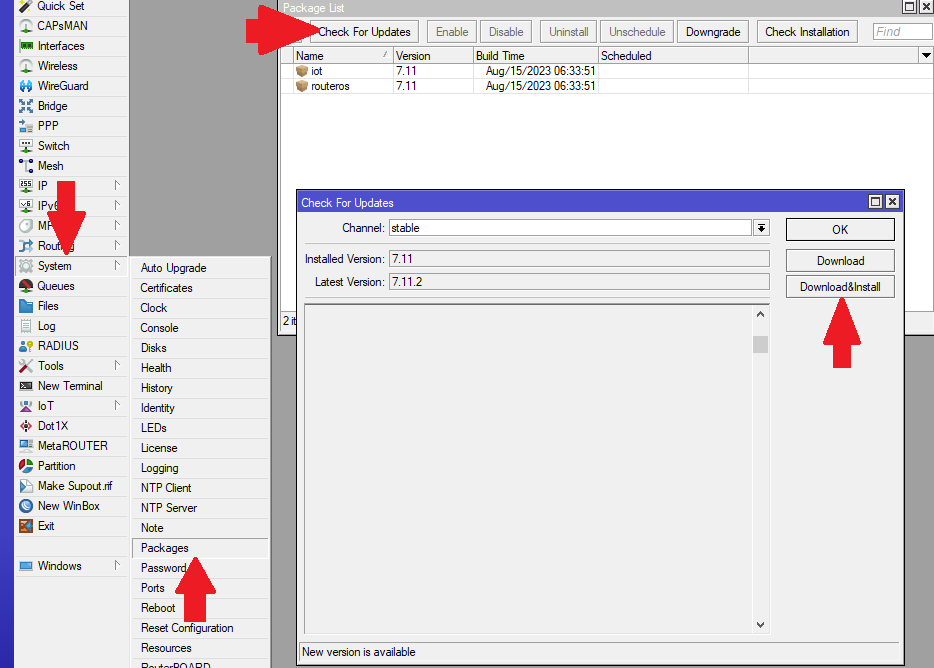
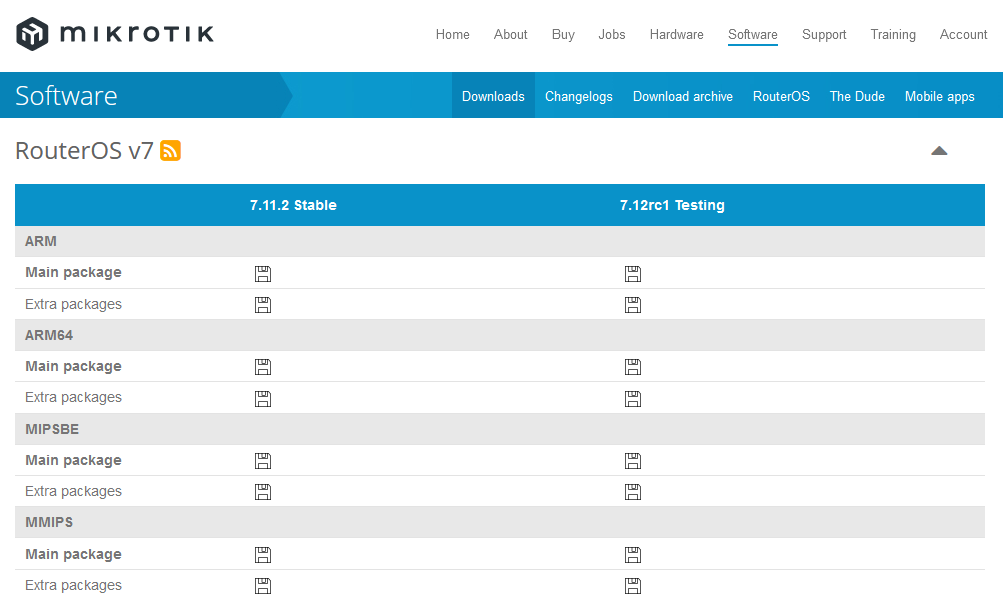
If your device does not have the IoT>LoRa menu, download "Extra packages" specifically for your router's architecture and rOS version. You can see the type of your router's architecture at the top of the Winbox window or in System → Resources → Architecture Name.
https://mikrotik.com/download
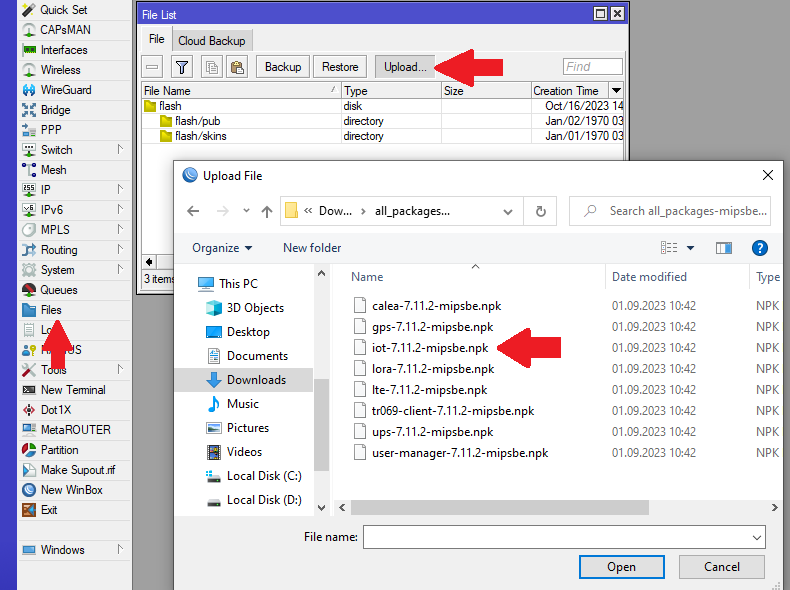
Once the package is downloaded and extracted, upload the IoT package to your router. It can be done via drag & drop as well. It should appear in the files folder after the upload is complete. Reboot your router (System → Reboot) to install the package:
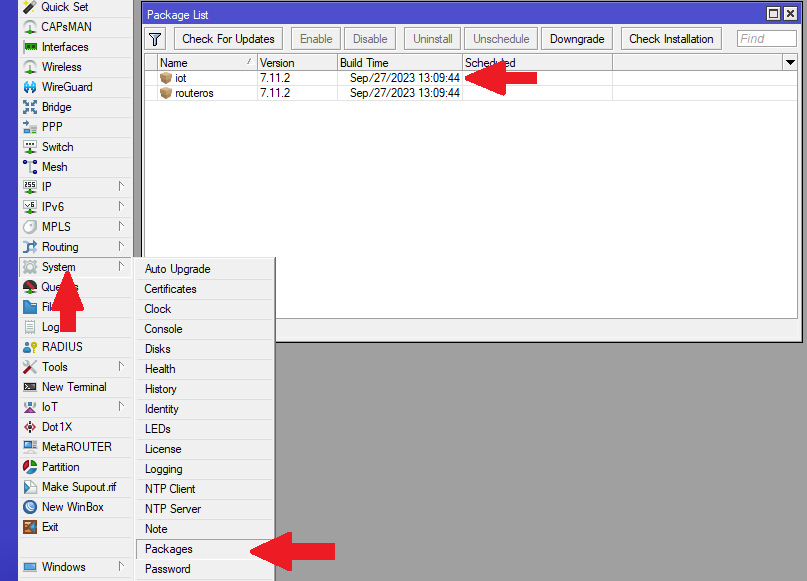
After the reboot, the package should be visible in the Package list:
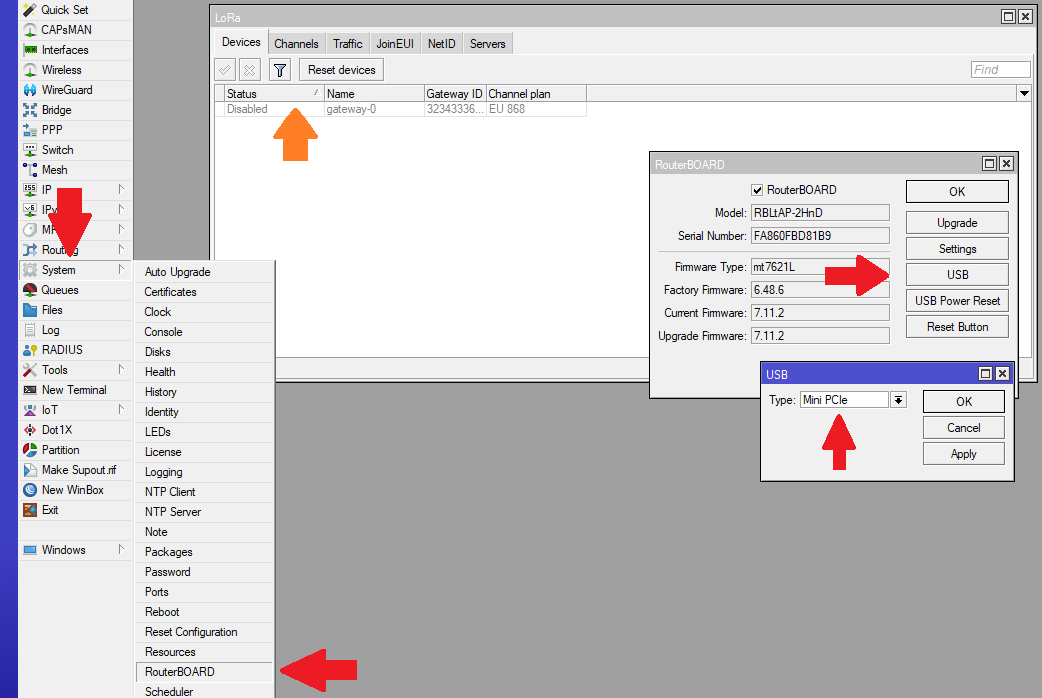
Check if the LoRa gateway has initialized under IoT>LoRa>Devices. If it is an LtAP model, make sure to set USB Type to Mini-PCIe:
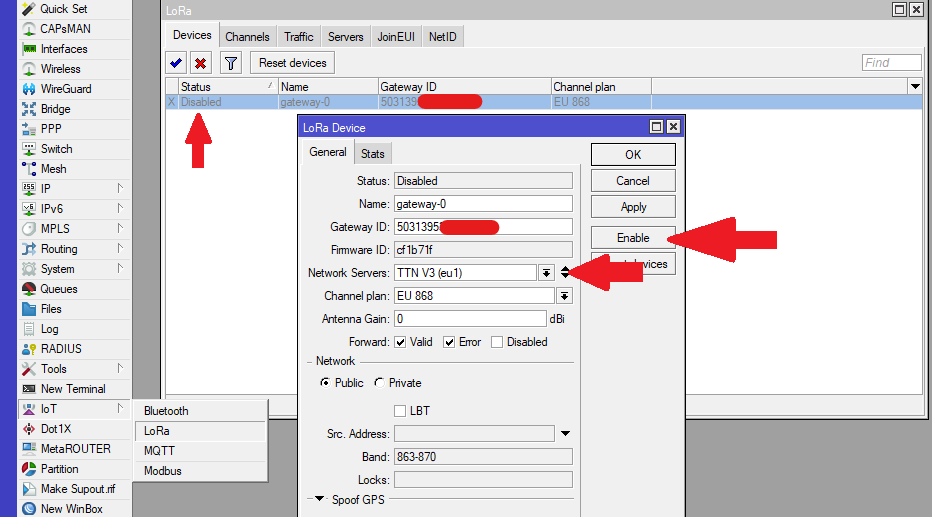
Once the gateway has shown up (under IoT>LoRa>Devices), select it, choose Network Servers from the default ones or add your own (under IoT>LoRa>Servers) and enable it:
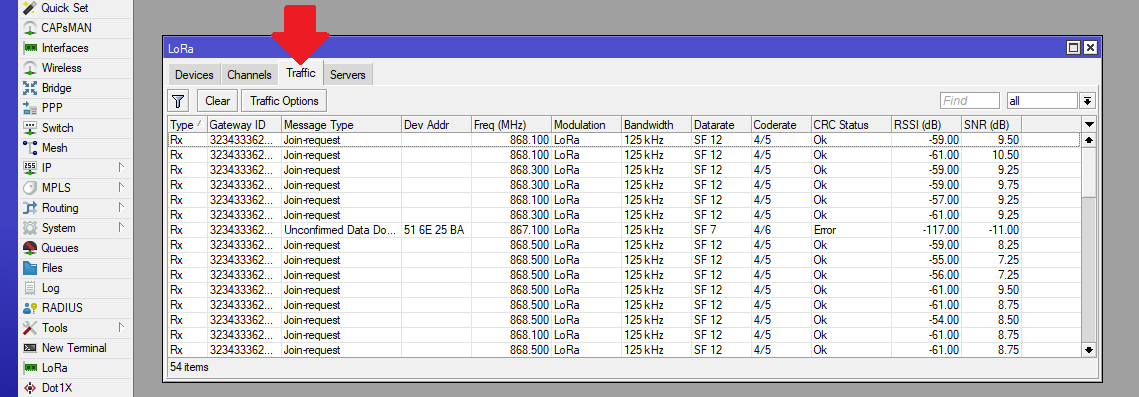
Navigate to the Traffic tab to monitor the surrounding nodes sending requests:
This concludes basic installation and configuration of LoRa mini-PCIe cards. For additional settings check: General Properties